


Vault - Hide Pics, App Lock
4.354.91K Reviews
App Specs
- Version
- 6.9.13.16.22
- Updated On
- License
- Free
- Downloads
- 100,000,000+
- Developer
- Wafer Co.
- Categories
- Business
- Platform
- Android, iOS
Screenshots

 Analysis by AppCompare
I think a private vault is most useful when it solves a small, recurring problem: keeping a few personal photos or videos out of the way without turning your whole phone into a locked-down device. Vault - Hide Pics, App Lock is built for that sort of everyday separation. I would treat it as a practical privacy layer, not a substitute for careful backups or a guarantee that sensitive files are impossible to reach.
What I would use it for day to day
Picture a friend asking to borrow your phone to look at a photo, or handing your device to someone to make a call. You may be comfortable sharing the screen but not want every personal image or selected app within easy reach. A vault can make that handoff feel less awkward, because you can keep chosen items apart from the ordinary camera roll and add a lock to apps you would rather keep private.
The useful habit is to decide what belongs in the vault before you need it. I would move only a small, intentional set of files—such as personal pictures or videos I do not want appearing during casual browsing—rather than treating the app as a second, unsorted photo library. That makes it easier to find what I actually meant to protect and reduces the chance that I forget where an important file went.
For work, the same separation can help with images or recordings I do not want mixed into family photos. It is less compelling as a document-management system: the core appeal is hiding media and locking apps, not organizing a complicated archive. If your main need is shared access, detailed tagging, or a searchable work library, a purpose-built storage or file-management tool may suit you better.
Speed is about the routine, not a benchmark
For this kind of app, I care less about a flashy opening animation and more about whether the basic routine feels manageable: open the vault, find the right item, and return to normal phone use. Keeping the collection focused is the simplest way to avoid turning those steps into a chore. A large, poorly sorted stash can feel cumbersome even when an app itself is responsive, so I would create a simple naming or grouping habit outside the app’s assumptions rather than importing everything at once.
I also would not expect a vault to make every privacy task invisible. It adds another step when I want to view protected material, and that friction is the point. If I am constantly opening and closing the same locked apps, I may find the extra gate irritating. I would reserve app locking for the few apps that genuinely need it instead of applying it indiscriminately.
Cloud backup changes the trade-off rather than eliminating it. It can be reassuring if losing a phone is a concern, but a backup is only useful if I understand how I will regain access and keep the account credentials safe. I would test the recovery path with nonessential files first, then make sure I can remember the vault password and any account details needed for restoration. A locked-away collection that I cannot recover is not a successful privacy setup.
Worth Reading Before You Choose

Baby Panda World Brings Quick Play to Modern Phones, but Its Game Library Feels Busy

ESPN’s Live Game View Makes Following Close Games Easier

QuizzLand Review: A Good Fit for Short Trivia Breaks, Not Every Player

Basketball Stars: Multiplayer Is Fast, but Can It Recover When Matches Go Wrong?

WEBTOON Turns Phone Updates Into a Better Reading Routine

Link to Windows Runs on Shared Habits, Not Social Feeds
Busy moments and small workflow choices
Heavy use is most likely when I am sorting a batch of media, changing phones, or trying to show someone one particular picture while keeping the rest private. Those are good moments to slow down and verify what I have moved. Before deleting an original or cleaning up a camera roll, I would open the vault and check that the intended item is present and readable. That little confirmation is more reliable than assuming a tap completed the move.
Another useful distinction is between hiding a file and protecting the device itself. A vault can help with casual access to selected content, but it cannot stop someone who already knows the passcode to the phone from using the device in other ways. I would pair it with the phone’s own screen lock and avoid sharing the vault password. For particularly sensitive material, I would think carefully about whether keeping it on a phone at all is the right choice.
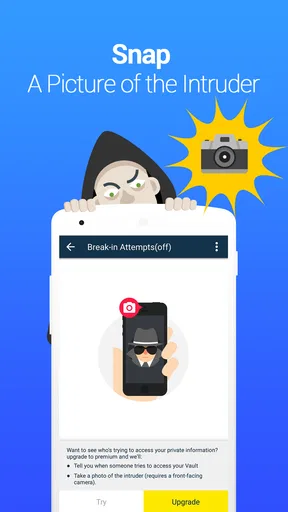
The break-in alert idea described in the app’s feature set may be useful as a deterrent or a clue after an attempted access, but I would not rely on it as a live security guard. Alerts do not replace a strong password or safe handling of the phone, and a photo of an attempted user is not the same thing as preventing access. I would regard that feature as an extra signal, not the foundation of my privacy plan.
How it compares with ordinary phone tools
The usual alternative is to rely on the phone’s built-in photo controls, app restrictions, or a separate cloud drive. Those tools can be enough if I only need to tuck away a handful of files or already use a well-organized storage service. Vault’s appeal is bringing media hiding and app locking together in one place, which can be simpler than remembering several separate settings.
The trade-off is that a dedicated vault adds another app and another password to maintain. If my phone’s native privacy tools already cover the job, I would not install a second layer just for the sake of having one. If I do use Vault, I would keep the number of protected apps modest and make sure the files I care about are backed up in a way I can actually restore. Convenience matters, but so does avoiding a single point of failure.
Who will appreciate it—and who may not
I can see this being a good fit for someone who shares a phone screen often, wants a separate place for a small personal media collection, or prefers an extra lock on selected apps. It is also approachable for people who do not want to learn a complicated filing system. The store rates it for Everyone, and its business category and straightforward purpose do not require a technical background to understand.
I would skip it if I rarely share my device, already use built-in privacy controls comfortably, or need professional-grade records management. It may also be a poor fit if I cannot keep track of passwords or am unwilling to check backup and recovery arrangements. A privacy app should reduce worry, not create a new risk of locking myself out of memories I care about.
First Impressions: Getting Started
Downloading Vault - Hide Pics, App Lock was a breeze. Available on both Android and iOS, it’s super easy to find on your respective app store. Once installed, you're greeted with a straightforward interface that even your grandma could navigate. What I appreciated right off the bat was the app's simplicity. No excessive bells and whistles, just a clean and functional layout.
Setting Up Your Vault
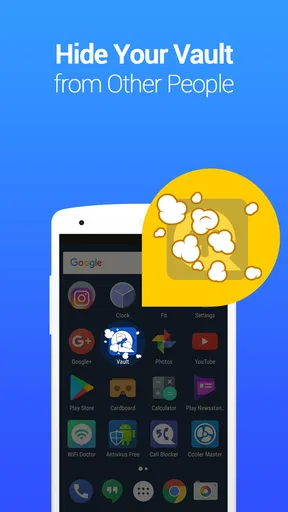
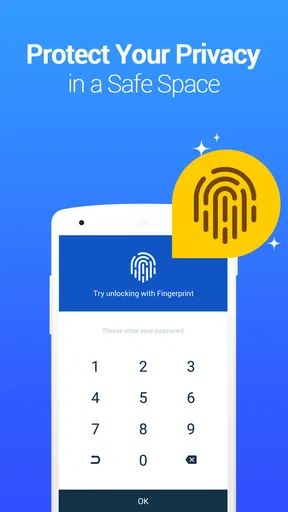
Setting up was as simple as pie. The app prompted me to create a password, and let me tell you, this is not the place to use "1234." You're going to want something a bit more robust. Once that's done, you can start adding content to your vault. Whether it's photos, videos, or even apps you want hidden, it's just a matter of a few taps. The app also offers cloud backup options, which is a neat feature if you're worried about losing your phone.
Features Galore
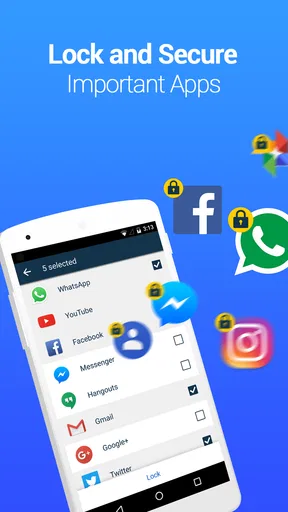
Now, let's talk features. This app does more than just hide your selfies. It comes equipped with an App Lock function, ensuring your nosy friends can’t access certain apps without your permission. Imagine locking down Instagram or WhatsApp, and keeping those private chats, well, private. The app also boasts a private browsing feature, so your online escapades remain your little secret.
And here’s something I found particularly cool: the Break-in Alerts. If someone tries to access your vault without the correct password, the app snaps a photo of them. So, if your little brother is trying to sneak a peek, you’ll have the evidence.
User Experience: Smooth Sailing or Stormy Seas?
Using the app on a day-to-day basis was mostly smooth sailing. The app runs quietly in the background and doesn’t hog resources, which is a big win. I noticed zero lag or crashes during my time with it, and that's a major plus. The ads were a bit of a nuisance, but hey, there's an option to go ad-free if you’re willing to shell out a few bucks.
Still, I would separate a pleasant session from a promise that performance will be identical on every phone. Media libraries differ in size, and an older device can feel slower when juggling several apps or large batches of files. I would begin with the few items I actually need to protect, then add more gradually. That makes it easier to notice whether the experience remains comfortable on my own device instead of assuming a large import will behave just like a small one.
Vault is free to install, with in-app purchases ranging from about a dollar to around thirty-one dollars per item. I would check the available options in the app before deciding whether an upgrade is worthwhile, especially if advertising becomes distracting. The listed version is 6.9.13.09.22, and it requires Android 6.0 or later. Those details matter most if I am using an older Android phone or weighing whether the app is likely to fit my current setup.
Privacy and Security: Can You Trust It?
In today’s digital age, privacy is a big deal, and Vault - Hide Pics, App Lock takes this seriously. It uses AES encryption to safeguard your files, which is the same level of security the government uses. Rest assured, your hidden treasures are well-protected. I tested this by trying to access my hidden files without the app, and as expected, they were nowhere to be found.
I would still treat any security claim with sensible caution. A vault is only as dependable in practice as the password I choose, the way I protect my phone, and whether I can restore what I have stored. I would avoid reusing an easy password, keep recovery details somewhere safe, and occasionally confirm that important files remain accessible. For irreplaceable photos, I would not make a single app the only copy.
Popularity, cost, and practical expectations
Wafer Co. is the developer, and the app has been around since December 16, 2011. Its 4.3 average comes from around 1.3 million ratings, while roughly 56,000 written reviews offer a broad sense of how widely people have tried it. More than 100 million installs suggest that this is a familiar option in the mobile privacy space, though popularity alone cannot tell me whether its workflow suits my habits or device.
That long-running presence is useful context, but I would make my decision based on the actual job I need done. The app is free to start, which lowers the barrier to trying a small, noncritical collection. I would not pay simply because the app offers an upgrade; I would first see whether its everyday process is comfortable and whether the extra option solves a specific annoyance for me.
Final Thoughts: To Download or Not?
So, is Vault - Hide Pics, App Lock worth your time and storage space? If you’re someone who values privacy and wants a hassle-free way to keep certain things hidden, then absolutely. It does what it promises and does it well. However, if ads are a dealbreaker for you, consider the premium version. Either way, this app is a solid choice for anyone looking to add an extra layer of security to their phone.
My practical verdict is more specific: I would try it when I want a convenient barrier around selected media and apps, and I would keep my expectations grounded. It is not a replacement for a secure device password, a careful backup plan, or a specialist tool for managing sensitive business records. The best results come from a short, deliberate collection, a password I can reliably remember, and a quick check that backup and recovery work as I expect.
And there you have it, my two cents on Vault - Hide Pics, App Lock. Whether you’re hiding from snoopy friends or just want a little more privacy, this app might just be your new favorite download. Give it a whirl and see how it fits into your digital life.
Pros
- Easy-to-use interface for quick setup.
- Strong encryption ensures privacy.
- Includes app lock feature for extra security.
- Supports multiple file formats for hiding.
- Backup option available for data safety.
Cons
- Limited storage in free version.
- Occasional ads can be intrusive.
- Some features require premium upgrade.
- May drain battery with extensive use.
- No cloud sync for cross-device access.
FAQs for Vault - Hide Pics, App Lock
What is the primary function of Vault - Hide Pics, App Lock?
Vault - Hide Pics, App Lock is designed to protect your privacy by hiding photos, videos, and locking apps on your device. It provides a secure space for your personal content, ensuring that sensitive information and media are kept private from prying eyes. The app uses encryption technology to safeguard your data.
How does the app lock feature work in Vault?
The app lock feature in Vault allows you to set a password or pattern to secure specific applications on your device. Once set, anyone attempting to access these apps will need to enter the correct credentials. This ensures that your apps remain private and only accessible to authorized users.
Is my data safe with Vault - Hide Pics, App Lock?
Yes, Vault prioritizes user privacy by implementing advanced encryption techniques to protect your data. The app ensures that all hidden photos, videos, and locked apps are secure and inaccessible to unauthorized users. However, it is always recommended to regularly update the app to benefit from the latest security enhancements.
Can I recover my data if I forget my password?
Vault offers a password recovery option to help users regain access to their hidden content. During setup, you can set a security email or question. If you forget your password, you can use these recovery options to reset it and access your data without losing any information stored within the app.
Does Vault - Hide Pics, App Lock affect my device's performance?
Vault is designed to be lightweight and efficient, ensuring minimal impact on your device's performance. It runs quietly in the background without consuming excessive battery or processing power. Users typically experience smooth operation, but it's advisable to monitor app performance and close unnecessary background apps if needed.


